Logging onto Computers in the Microscopy Facility
Each user must have their own account and password on the
MHMICROSCOPY domain in order to use the facility's image
acquisition computers, image processing computers, color printer and file
servers.
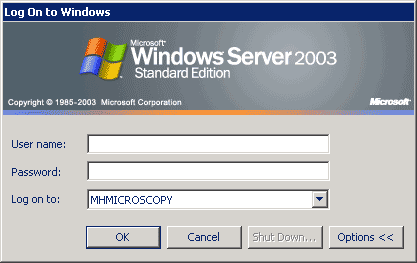
Remember: To log on to a facility computer 3 entries must be
correctly entered:
- Username your
account name (case is ignored)
- Password your
account password (case is important)
- Domain must
be MHMICROSCOPY - (not local computer name)
- Note passwords:
- Are good for 90 days
- Must meet complexity rules: i.e. contain - uppercase - lowercase - number
- symbol - at least 10 charaters
- Can be changed even if it is expired! See: http://microscopy.unc.edu/password
- Can not be recovered or read. But they can be
reset: Contact
Michael
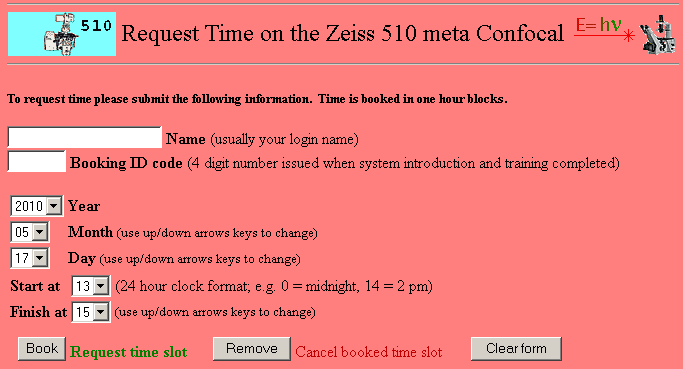
Web Based Resource Booking
Booking IDs and your log on name allow reservation or
cancellation of booked time on a resource. The resource booking pages can
be accessed from
http://microscopy.unc.edu/booking
- Note:
- Booking IDs do not expire!
- Want to change you BookingID? Be reminded of a forgotten number? - Contact
Michael